
Webink
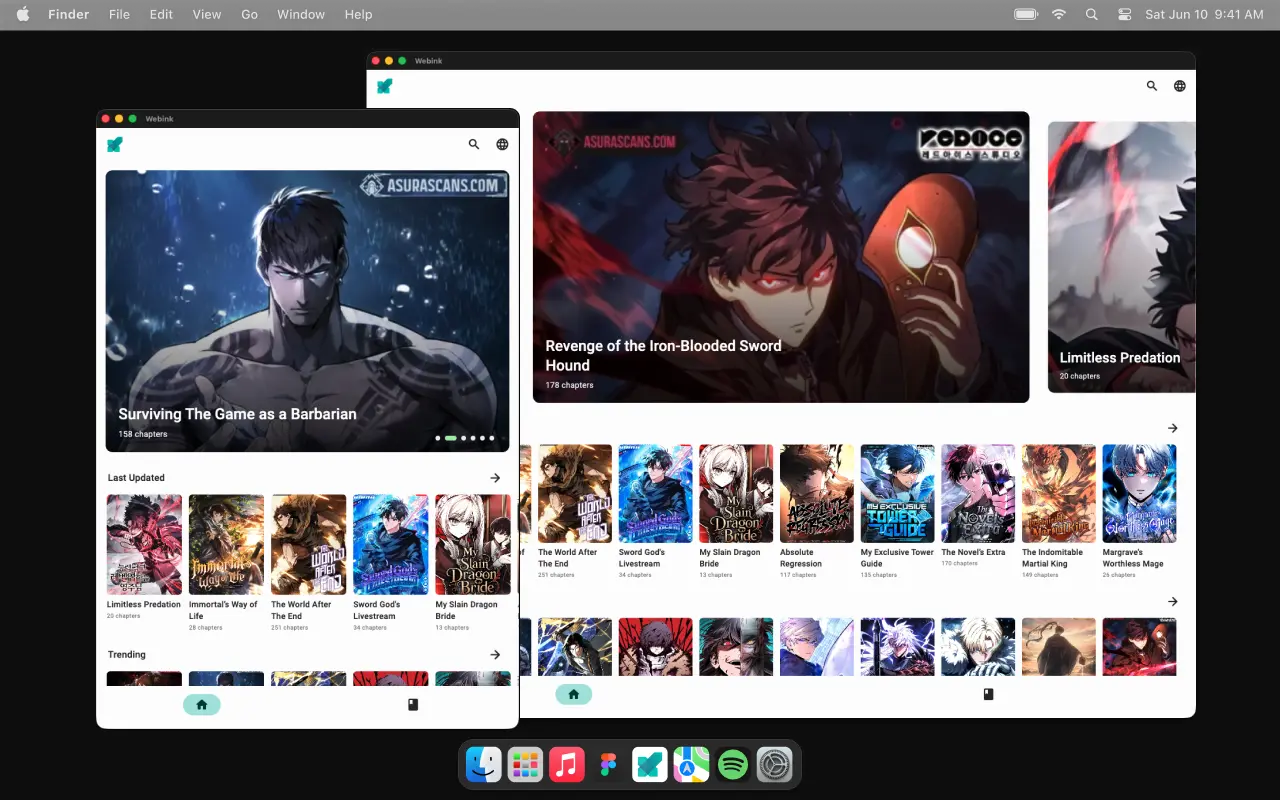
Manga reader · designed & built soloEleven manga sites, one library. Read on any device and pick up exactly where you left off — without keeping five tabs open to remember where that was.
Why I built it
Manga readers live across a dozen scattered sites. Each one has a different layout, a different idea of what a chapter list looks like, and no memory of what you have already read. Following five titles means five tabs and a mental note.
Webink aggregates those sources behind a single interface, and keeps your place. It hosts nothing — it is an interface onto content the sources already publish.
One design, eleven sources
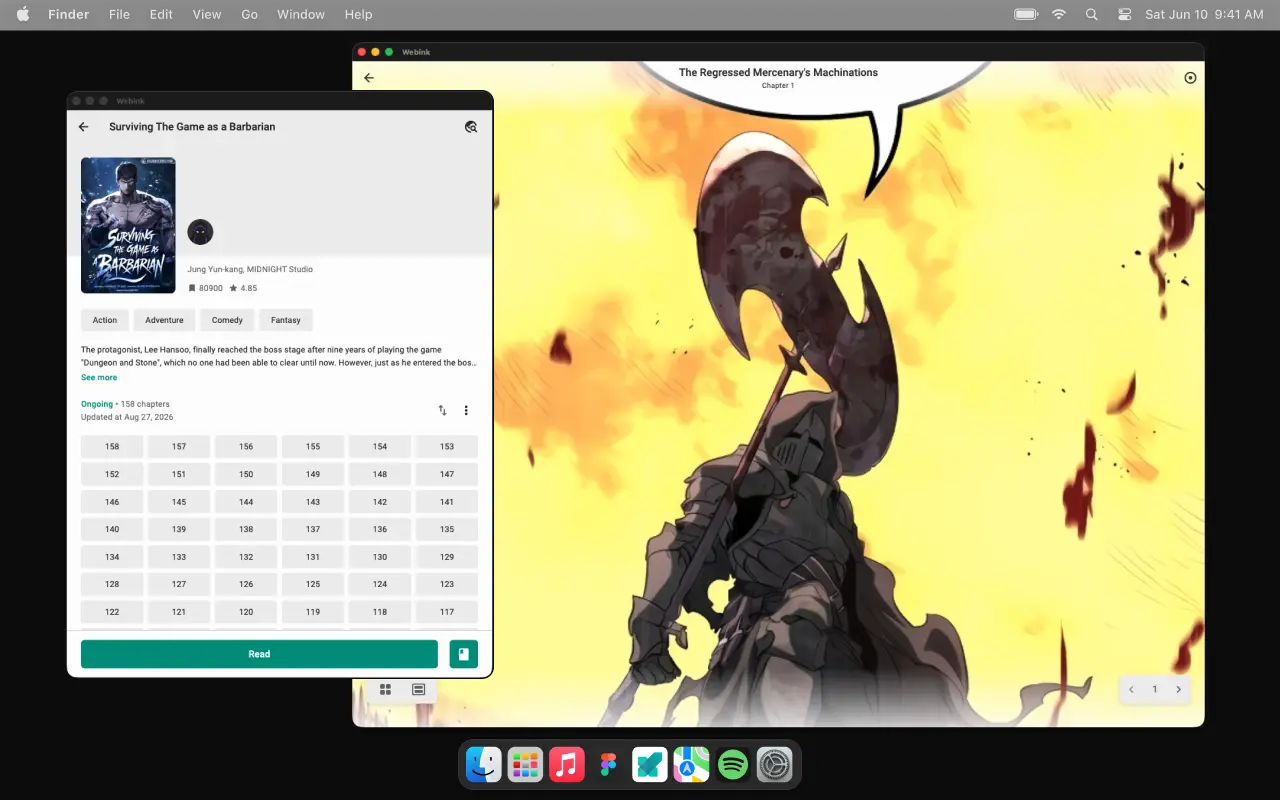
Every source publishes different markup and different metadata. The app normalises all of it into one set of components, so changing source never changes how anything looks or behaves.
One library, always in place
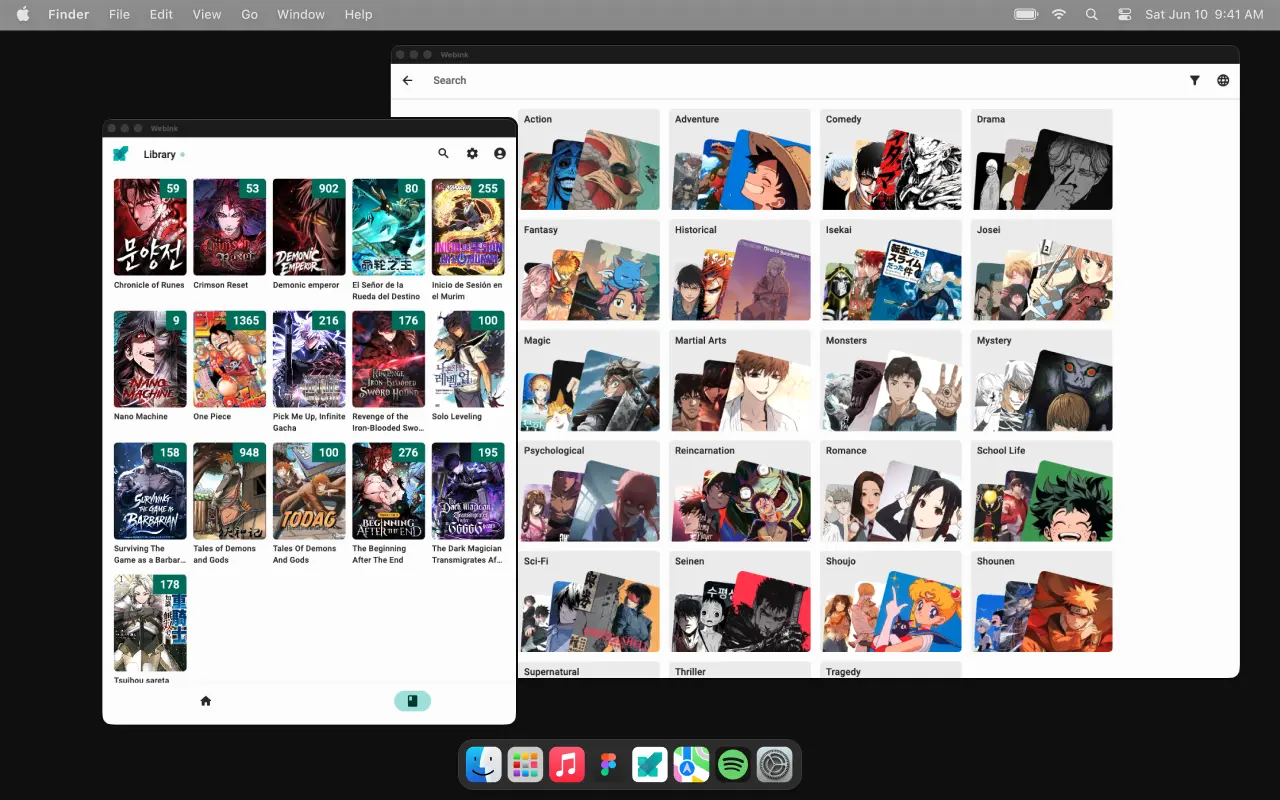
Saved titles, status, ranking and chapter progress live in a single library, whichever source a title came from. Sign in and it follows you to the next phone.
Getting past the gate
Several sources sit behind bot protection. Flareproxy fronts only those, with a real browser and a cache, so the rest of the app stays fast.
Where it reads from
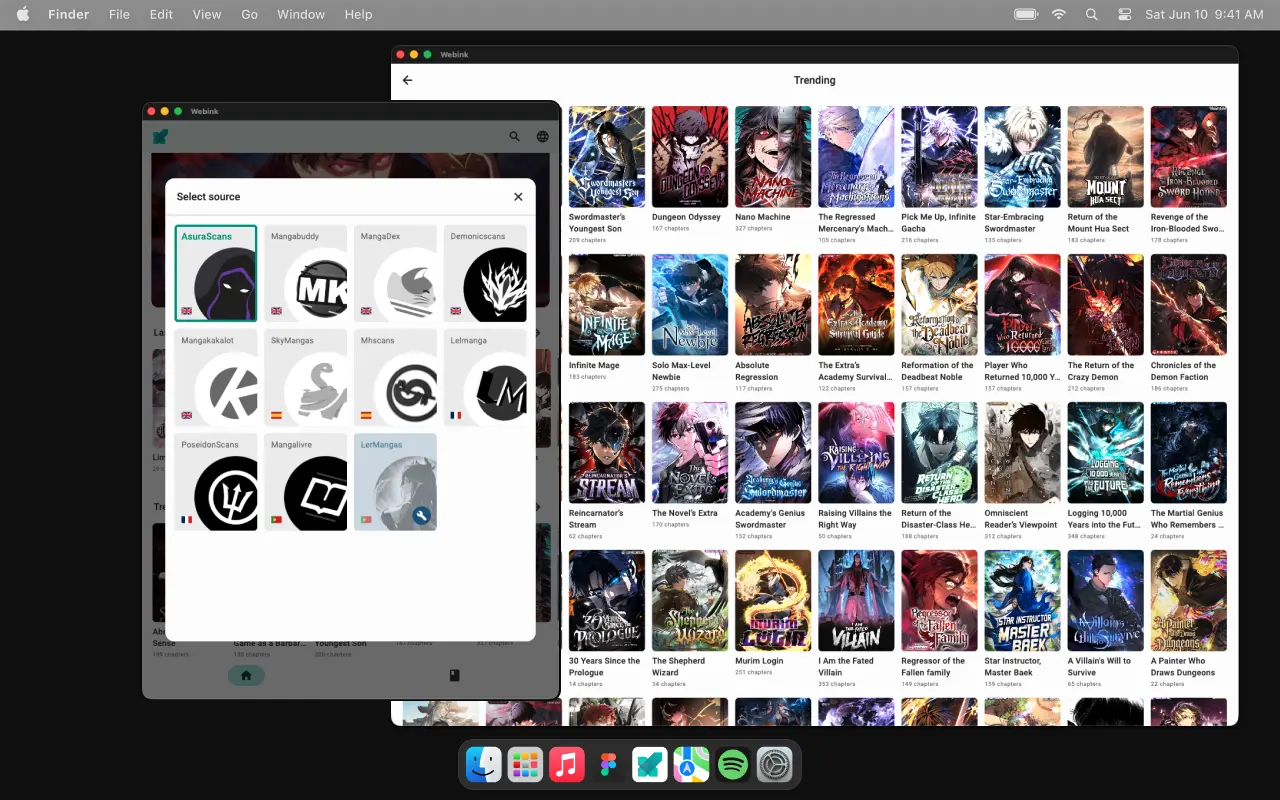
Eleven sites across four languages. Each publishes its own markup, its own metadata and its own rate limits — the app normalises all of it into one interface.
- AsuraScans


- Mangabuddy

- MangaDex
- Demonicscans

- Mangakakalot

- SkyMangas


- Mhscans

- Lelmanga


- PoseidonScans

- Mangalivre


- LerMangas

Languages, and what each one is for
The interesting number isn’t the percentage. It’s that four of these five exist because Dart couldn’t do that specific job.
The entire application — interface, Riverpod 3 state, the eleven source adapters, the persistence layer and the network orchestrator. One codebase compiles to iOS, Android and macOS.
Image header probing. It reads only the first bytes of a JPEG, PNG, WebP or GIF to get its dimensions without decoding the whole image, so the reader reserves the right space before the page finishes downloading. No layout jump on a 200-page chapter.
Firebase Functions plus the proxy service that fronts bot-protected sources with a real headless browser and caches what comes back.
Platform glue only: app lifecycle, entitlements and the native bindings Flutter can’t declare for itself.
The local library — saved titles, status, ranking and chapter progress. Offline-first, mirrored to Firestore once a user signs in.
Where you can get it


Questions
Questions, suggestions or ideas for the app are welcome — the fastest route is email, and I answer everything.
Can Webink integrate new sources?
Yes. Webink aggregates sources that already publish on the web, and eleven are wired up today. Each new one needs its own parser and a compatibility check, so they land deliberately rather than in batches. Suggestions are welcome.
Is Webink responsible for the content from the sources?
No. Webink hosts, modifies and controls nothing — it is an interface onto content the original sources create and manage. Responsibility for that content sits entirely with them.
Do I need an account?
No. Nothing is gated behind sign-in. An account with Google or Apple exists so your library can sync across devices; without one the app is fully usable and everything stays on your device.
How do I create or delete my account?
Both live on the account page — Library tab, account icon, top right. Deletion starts a 15-day window you can cancel; after that the account and its data are permanently removed.